
Guide’s phone
A verified guide selects an active assignment, prepares the device, shows a QR code, and controls Play, Pause, and the microphone.
Device and features
Hardware, play, pause and microphone controls, requirements and the agency pre-departure checklist.
This illustrates how the parts relate; it is not evidence of an on-site connection or audio test.
A verified guide selects an active assignment, prepares the device, shows a QR code, and controls Play, Pause, and the microphone.
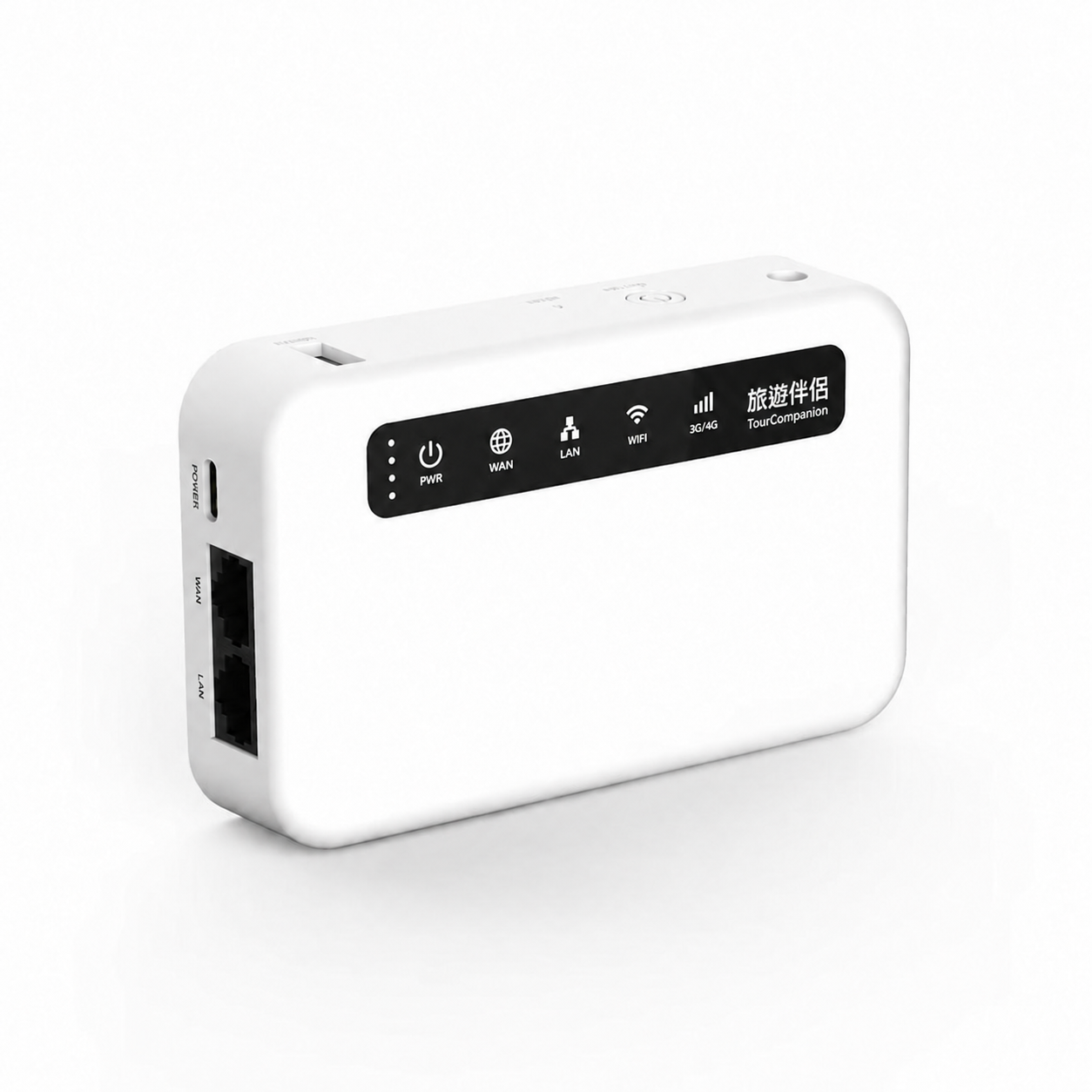
The XE300 provides a local network for phones in the same group. Once preparation is complete, both guides and travelers must connect to the corresponding tour WiFi.
Scan the Guide’s Live Guide QR, allow the network connection, find the Guide, and join; then use Listen and the speaker controls.
The same interoperable tour WiFi
The local commentary path does not need external Internet
First-time Guide activation requires an online connection; Account Guide still requires online verification. Do not interpret local commentary as meaning that all sign-in, itinerary, and content functions are fully offline.
Local commentary does not need to depend on external Internet; identity verification and device preparation must still be completed under the applicable conditions.
Phones and hardware, each doing one thing well
The dedicated device is not another listening device. It is the tour group’s local WiFi network. The guide first completes preparation for the assigned tour, then travelers enter the corresponding network through the Guide’s QR.
The guide starts, pauses, or resumes this commentary; pausing is not ending.
The guide can mute the microphone. When muted, the commentary session has not necessarily ended.
Travelers control playback on their own phones; turning off the speaker does not mean leaving this commentary.
After the guide ends this commentary, travelers can keep the tour and wait for the next one; “Leave Tour” has a separate effect.
This is deployment-planning guidance, not evidence of completed formal product validation.
Arrange active Guide activation/account eligibility and the required tour assignments. If there is no active assignment, the agency should resolve it; do not substitute demonstration data.
Confirm the XE300, power, installed App version, Android permissions, and network arrangements for first-time activation.
Use the guide’s device and another traveler’s physical device to confirm joining and audible sound in the intended WiFi environment, distance, and setting.
Explain phone requirements, the correct Live Guide QR, and the no-Internet notice; assign on-site staff to help travelers who are unfamiliar with the process.
Obtain the applicable App and device arrangements through the responsible agency or product team. Official materials provide no public download link, pricing, or contact form; this version does not invent download, quotation, or submission features.
Original App v2.0.0 (Build 2026102002) emulator screenshots switch with the website language. English uses the App en screenshots. These images do not prove successful sign-in, pairing, or audio.
Actual App emulator screenshot · confirms the entry point only. Mario Travel is built-in demonstration co-branding, not a customer endorsement.
Actual App emulator screenshot · the camera shows a virtual room; no valid QR was scanned and no joining was completed.
Actual App emulator screenshot · not joined and audio not validated; the Kyoto title is a demonstration, and the LIVE label is not evidence of a connection.
Actual App emulator screenshot · blank form; no email code was sent and no sign-in was completed.
Actual App emulator screenshot · built-in demonstration content, not an imported real tour or customer case.
Actual App emulator screenshot · the camera shows a virtual room; no valid QR was scanned or redeemed. This is not evidence of successful pairing.